
lowkey
macOS 14+ · Apple silicon and IntelOne site. Its own space.
A small macOS browser using the system WebKit. No tabs or permanent address bar: open saved sites by alias, each with its own profile and sign-in state.
Signed with Developer ID and notarized by Apple.
Currently distributed through GitHub Releases.
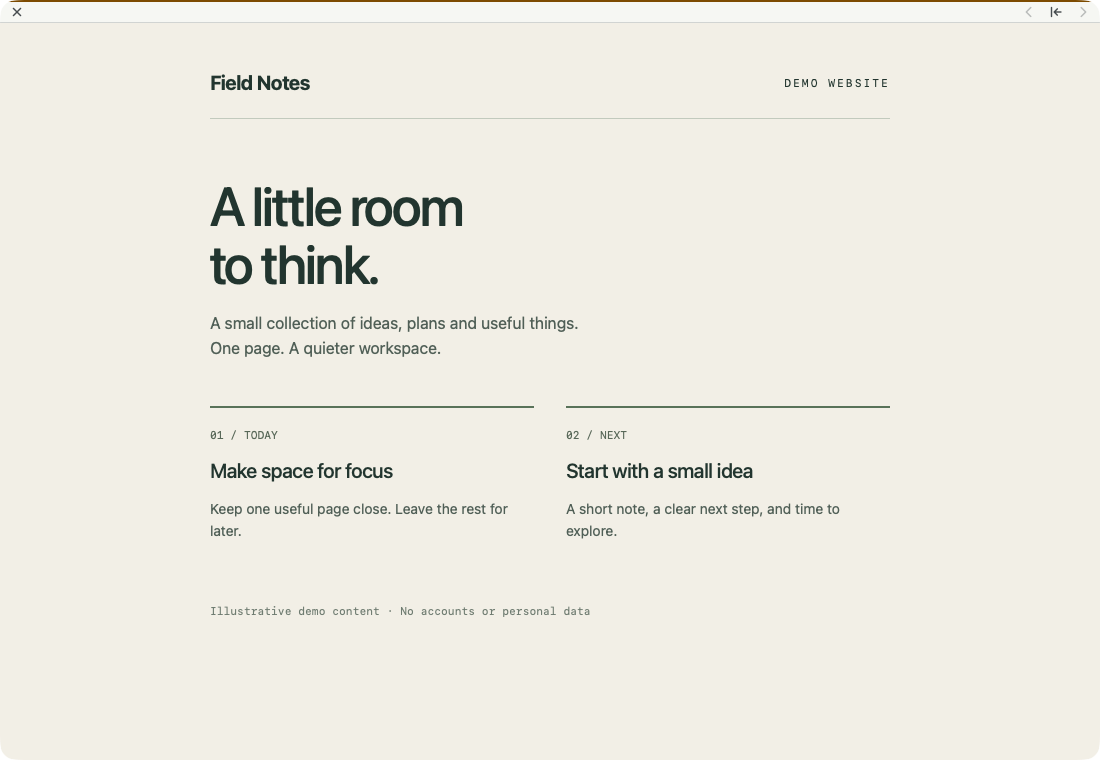
The page, without the browser clutter. 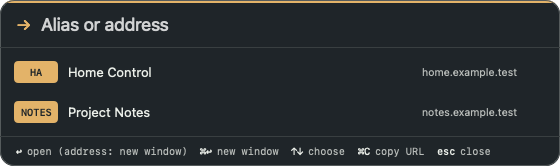
An alias is enough. 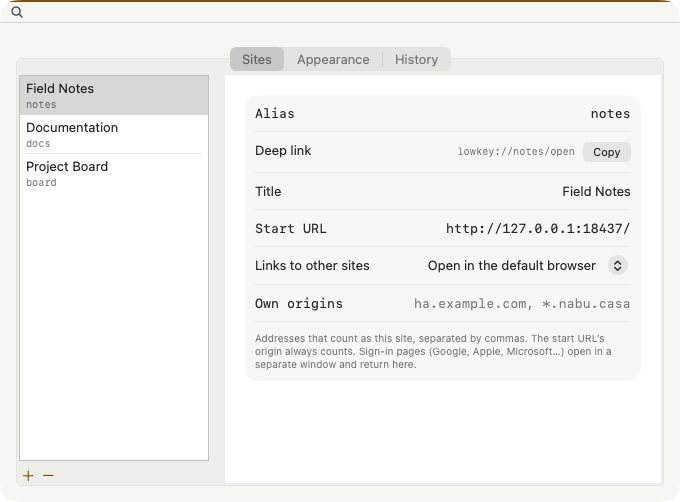
Give each site its own profile.
Separate sign-ins
Every saved site has a persistent WebKit profile. Ordinary windows share a default profile; popups retain their opener’s profile. Closing a window keeps its cookies.
Type less
Command-L accepts aliases, HTTP(S) URLs and bare hosts. The empty prompt lists only saved sites. Typing also searches submitted addresses, with Russian/Ukrainian ↔ US keyboard-layout matching.
Stay in this profile
Command-Shift-L opens a URL or alias in the exact current window and profile, including sign-in windows. Later links follow the normal policy. Some identity providers still block embedded browsers.
A place in your workflow
Use lowkey://alias/open and lowkey://alias/toggle from launchers such as Ting. Hide a site without closing its page. Tint follows the page color; Page, System, Light and Dark modes and custom palettes remain available.
Quick start
A little setup. Back to your day.
macOS 14+ · Apple silicon and Intel. Version 0.1.2 adds full-document PDF export from the page menu and lowkeyctl save-pdf, plus page-colored window strips in Tint mode. Download the universal ZIP for Apple Silicon and Intel. No automatic updater or Homebrew cask.
View the latest release ↗01Download and install
Download the universal ZIP from GitHub Releases, unzip it and move lowkey.app to /Applications. Official releases are Developer ID signed, notarized and stapled, with SHA-256 checksums.
02Add your sites
Open lowkey, press Command-comma and add an alias, optional title and start URL in Settings. Each site gets its own profile. Command-L opens the alias or an address.
03Open from your launcher
This example opens the saved alias notes. Replace it with an alias you have configured. It does not create a site.
open 'lowkey://notes/open'04Update without losing sign-ins
Quit lowkey, download the new GitHub release and replace only the app. Configuration, input history and website profiles remain. Old windows do not reopen. While lowkey is running, click its Dock icon to open the address prompt, even if a site window is visible.
Good to know
lowkey 0.1.2
The release notes and the signed download are available on GitHub Releases.
Does every sign-in flow work?
No. Google and other providers may reject embedded user agents. lowkey shares profiles with sign-in windows but does not impersonate Safari, bypass certificates or copy another browser’s cookies. Complex OAuth callbacks are not guaranteed.
What does closing a site do?
Command-W hides a saved-site window while its page keeps running. Shift-Command-W closes it but retains the profile. Ordinary windows close with Command-W. Removing a saved site in Settings asks before deleting its profile.
Does it search the web or support extensions?
No. There is no search-engine fallback, browser extension support, password-manager integration or automatic update service.